

Scrivener Alternative Free: 5 Tools Fiction Writers Use in 2026
|
There are free Scrivener alternatives built for fiction writers. Real tools. Not note apps with a new name. Not Google Docs with a fancy label. Actual tools designed around how novelists actually work.
This post covers five of them. You will know which one to use before you finish reading.
Why Writers Look for a Free Scrivener Alternative
Most writers do not leave Scrivener because it is bad. They leave because of four things:
The learning curve. It takes weeks before Scrivener feels natural. That is weeks not spent writing.
The price. Sixty dollars is hard to justify before you know you will finish the book.
The mobile gap. The iOS app is a limited version of the desktop. Writers on the go notice this fast.
The export process. Getting a clean manuscript out requires learning a second system inside the first one.
These are real problems. That is why so many writers search for a free alternative to Scrivener every single day.
What to Look for in Free Novel Writing Software
Not all writing apps are equal. Here is what actually matters when picking one:
Fast setup. You should be writing in under five minutes.
Character and story tracking. Long novels have continuity problems. A tool that tracks characters saves hours in revision.
Works on all devices. Most writers use more than one device. Web-based tools win here.
Clean export. Your manuscript needs to come out formatted and ready to use.
A real free tier. Free should mean free, not a 14-day trial with a credit card required.
Free Scrivener Alternatives at a Glance
Tool | Completely Free | Character Tracking | Mobile Support | Learning Curve |
Google Docs | Yes | No | Excellent | None |
Bibisco | Community edition | Yes, built-in | Limited | Low |
Notion | Free tier | Manual setup | Good | Medium |
Reedsy Book Editor | Yes | No | Limited | Very low |
Writeo | Free tier | Yes, built-in | Good | Very low |
1. Google Docs
Best for writers who just need to start writing
Google Docs was not made for novels. It does not try to be.
But it is where most novels get written. And for good reason.
What you get:
Works on every device with no setup
Autosaves every few seconds
Share your draft with anyone in one click
No learning curve at all
100% free with a Google account
|
Best for: simple stories, writers who want to start right now.
2. Bibisco
Best for writers who build characters before they draft
Bibisco is open-source novel writing software. The community edition is completely free. It is the most structured free writing app on this list.
The reason is guided character development. Before you write a single word, Bibisco walks you through each character with structured questions covering background, psychology, and relationships.
What you get:
Guided character interviews before you start writing
Built-in character profiles with psychology and backstory fields
Chapter and scene manager
Location and object tracker
Story timeline view
Desktop download, no account needed
|
Best for: Writers who build characters before drafting, planners, literary fiction.
3. Notion
Best for writers who love building systems
Notion is a workspace tool. Writers have turned it into a novel writing tool.
The reason is simple: you can build any system you want inside it. Character databases with custom fields. Worldbuilding wikis with linked notes. Scene and chapter trackers. Plot timelines. A well-built Notion workspace for a novel can be genuinely impressive.
What you get:
Character databases with custom fields
Worldbuilding wikis and linked notes
Scene and chapter trackers
Timeline and plot views
Works on desktop, mobile, and web
Free tier that covers everything a novelist needs
|
Best for: System builders, complex worldbuilding, writers already living inside Notion.
4. Reedsy Book Editor
Best for writers who are close to finishing their manuscript
Reedsy Book Editor is for the end of the writing process, not the beginning.
It is not a planning tool. It is a finishing tool.
What you get:
Clean, distraction-free writing interface
Professional ePub and PDF export, completely free
No compile settings to configure
Publication-ready formatting out of the box
Free with a Reedsy account
|
Best for: Writers near the end of a draft, anyone who needs professional formatting without paying for Scrivener or Atticus.
5. WriteO
Best free alternative for fiction writers with complex stories
Most writing tools treat your novel like a long document. WriteO treats it like a living story.
That difference becomes a big deal at 60,000 words, when you have fifteen named characters and a world that has to stay consistent to the last page.
What you get:
Full character profiles
with appearance, backstory, and personality
Chapter-by-chapter character tracking that updates as you write
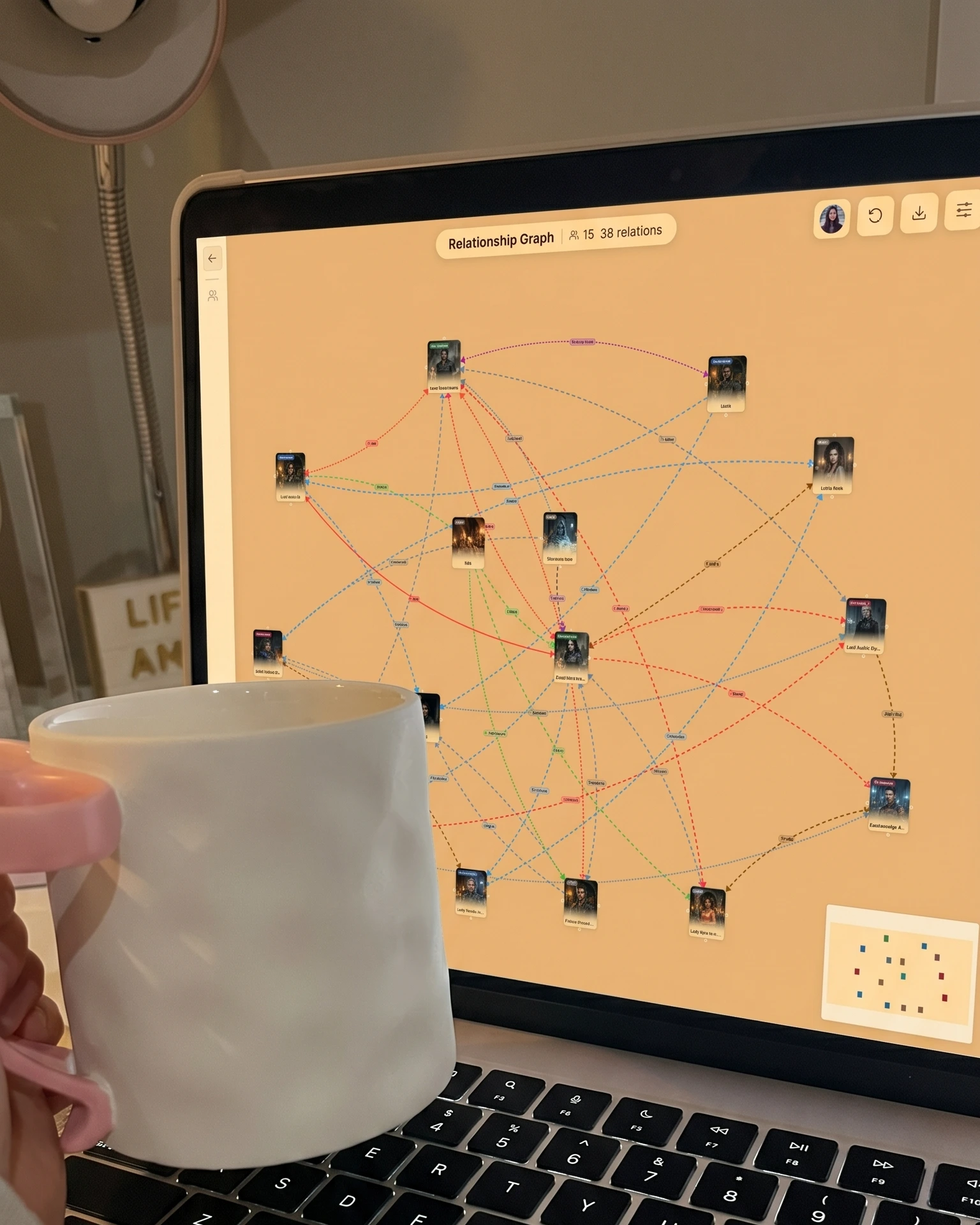
A Character Relationship Visualizer that maps every connection in your story
Worldbuilding notes tied directly to your manuscript
Chapter manager and writing analytics dashboard
Moodboard for visual inspiration
Free tier: 2 novels, 50 chapters, full access to character features
|
Best for: Character-heavy fiction, fantasy and romance, multiple POVs, large casts, complex relationship tracking.
Cost: Free tier available. Start at writeo.app.
Which Free Scrivener Alternative Should You Use?
Zero friction, starting today: Google Docs. Write first. Optimize later.
Want to plan your characters first: Bibisco. The guided interviews alone are worth it.
Writing complex fiction with a large cast: WriteO. The character tracking and relationship map get more useful the further you go.
Already inside Notion: Build from a novel writing template, not a blank page.
Finishing a manuscript and thinking about publishing: Reedsy Book Editor for clean, professional export.
Frequently Asked Questions
QIs there a free version of Scrivener?
QCan you write a full novel in Google Docs?
QWhat is the best free writing software for fantasy writers?
QIs Scrivener worth buying for a first time novelist?
QWhat is the difference between Scrivener and free novel writing software?
The Bottom Line
Scrivener is a legitimate tool that serious writers use and it is not going anywhere. But for writers who want to start immediately, work across devices, and not spend two weeks learning software before writing a single word, the free alternatives above are genuinely better options.
The right one depends entirely on what kind of writer you are and what kind of novel you are writing. If you are writing complex fiction with a cast of characters who need tracking, relationships that evolve, and a world that needs to stay consistent, one of these tools was built for exactly that.
The best writing software is the one that gets out of your way and lets you write.